In today’s post we are going to talk about the Analysis Services Tabular Models, specifically one of the latest news published earlier this year: The Calculated Groups. The Calculated Groups allow us to shorten the number of measurements we have in an Analysis Services model. Read More
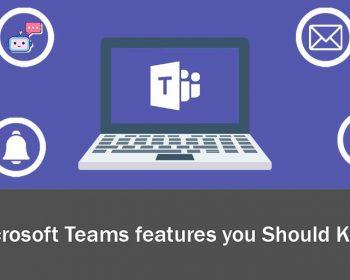
In today’s post we are going to talk about Microsoft Teams, but not the typical functionalities of holding a meeting or creating a Team, we are going to talk about topics that are not so common and that are very useful. I am going to Read More
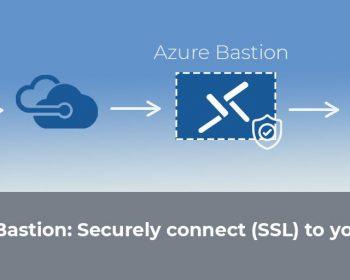
Today we return with a new entry about a very interesting Azure service, we are going to talk about Azure Bastion, a PaaS resource that will provide greater security to our architecture. With this new tool we can connect to our Virtual Machines without the Read More
As we already know, the use of mobile devices has grown in recent years to the point of being an essential object in the daily life of each person. For this reason, it’s so important that our Brand is well positioned in addition to the Read More
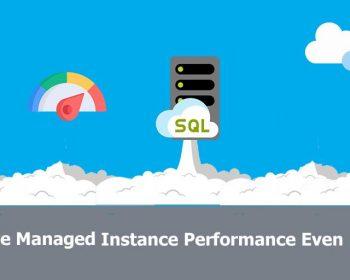
In the company we have been working with Azure SQL Database Managed Instance for more than 1 year and in general terms we can say that we are very happy with the technology, because as a PaaS tool we no longer have to worry about Read More
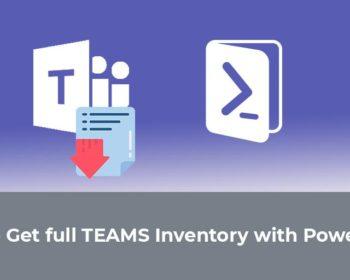
I’m sure all of us who work with Office365 have wondered if it’s possible to extract a report directly from the Teams tool. So in today’s post, I bring you the answer to this question: Yes, it is possible to extract a report directly from Teams. We will see Read More
As many of you already know, the Office365 platform can perform tasks automatically, which means simplification and time savings. In today’s post I will explain how to register users in Office365 , as well as their allocation of licenses with PowerShell. In this way, it will be much more comfortable to register Read More
Usamos cookies propias y de terceros necesarias para que nuestro sitio web funcione adecuadamente pero también utilizamos otras que nos permiten personalizar el sitio y sus opciones, realizar labores analíticas de tráfico y uso, ofrecer funciones de redes sociales, mejorar la navegación, adaptarse a tus preferencias y poder mostrarte contenido relevante y personalizado. Dispones de más información sobre las mismas en nuestra Política de Cookies. Puedes aceptar todas las cookies pulsando en el botón "Aceptar" o configurarlas a tu gusto o rechazar las no necesarias, a través de las opciones que ponemos a tu disposición. AceptarMás información
Privacy & Cookies Policy
Privacy Overview
This website uses cookies to improve your experience while you navigate through the website. Out of these cookies, the cookies that are categorized as necessary are stored on your browser as they are essential for the working of basic functionalities of the website. We also use third-party cookies that help us analyze and understand how you use this website. These cookies will be stored in your browser only with your consent. You also have the option to opt-out of these cookies. But opting out of some of these cookies may have an effect on your browsing experience.
Necessary cookies are absolutely essential for the website to function properly. This category only includes cookies that ensures basic functionalities and security features of the website. These cookies do not store any personal information.
Any cookies that may not be particularly necessary for the website to function and is used specifically to collect user personal data via analytics, ads, other embedded contents are termed as non-necessary cookies. It is mandatory to procure user consent prior to running these cookies on your website.