
SQL Server Management Studio 22: new features, improvements, and key considerations
Introduction
SQL Server Management Studio 22 (SSMS 22) marks a shift in Microsoft’s database administration tool. With its release as a stable version at the end of 2025 and its subsequent updates, it introduces improvements aimed at both productivity and integration with new technologies.
In this blog, we review its main advantages, some issues detected in recent versions, and practical recommendations for real‑world environments.
Main new features and advantages
1. AI integration (GitHub Copilot)
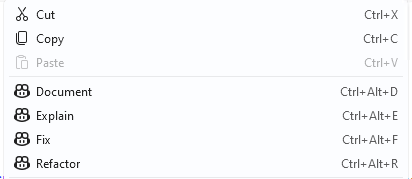
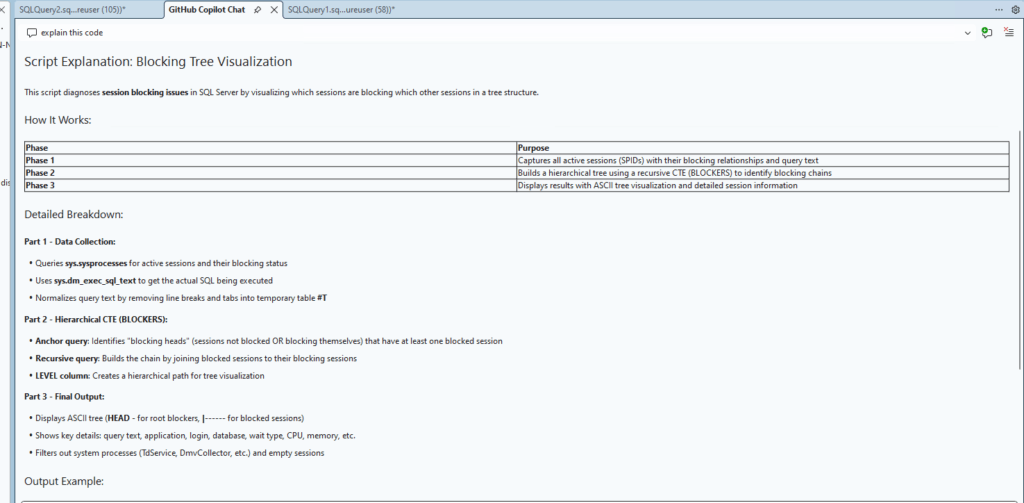
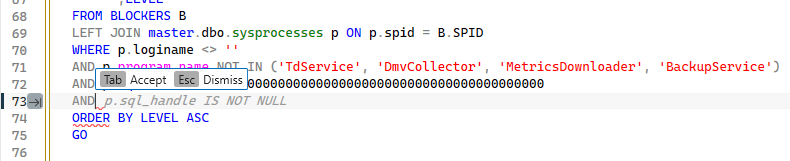
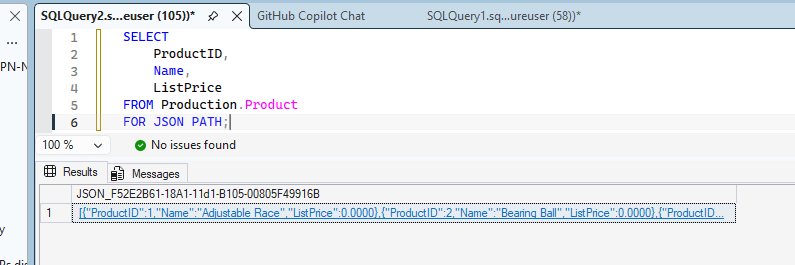
One of the most notable additions is the integration of GitHub Copilot within the query editor.
This allows us to:
- Generate SQL queries automatically
- Explain existing code
- Propose optimizations
- Reduce repetitive tasks
This becomes a useful assistant for day‑to‑day tasks, especially in environments with a high volume of operations.
2. Performance and user experience improvements
SSMS 22 includes multiple adjustments that, although not visible, have a direct impact on productivity:
- Improved performance in the connection dialog
- More stable query editor
- Optimized Activity Monitor
- Enhancements in cache handling and suggestions
Additionally, the use of more recent libraries and internal components contributes to a smoother overall experience.
In daily use, there are also less obvious but important improvements:
- More consistent IntelliSense with fewer freezes
- Better tab recovery after unexpected shutdowns
- Reduced freezes during heavy queries or when exploring large objects
3. Evolution of the SQL ecosystem
Relevant improvements have been incorporated for modern scenarios:
- Support for vector and JSON indexes
- Improvements to the Database Tuning Advisor
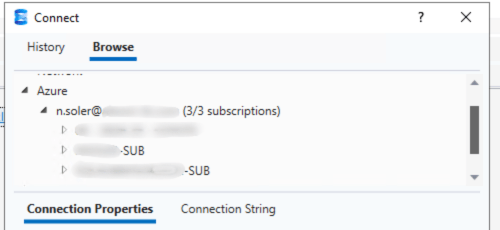
- Stronger integration with Azure and hybrid environments
- Initial compatibility with Arm64 architectures
This approach reinforces SSMS’s role as a key tool not only in on‑premises environments, but also in cloud architectures.
4. Exporting results to new formats
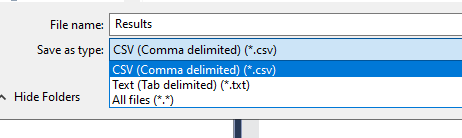
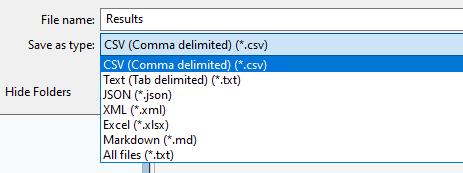
A practical and very visible improvement in SSMS 22 is the expanded set of formats for exporting query results directly from the interface.
Ahora es posible guardar resultados en:
- CSV
- Text
- JSON
- XML
- Excel
- Markdown
In previous versions of SSMS, these options were much more limited:
- Mainly CSV and TXT
- JSON required using FOR JSON manually
- Excel required using the Export Wizard
- Markdown was not available
5. Fixes for long‑standing issues
SSMS 22 has also addressed well‑known issues present in previous versions:
- Failures in Activity Monitor
- Errors in the query editor
- Issues in the connection dialog
- Incidents related to authentication and token caching
Additionally, several small issues that affected day‑to‑day usage have been fixed:
- Issues with multi‑monitor setups
- Incorrectly positioned windows
- Improved stability with recent connections
Known bugs and current limitations
Despite the improvements, version 22 still has several issues.
Known issues
Some detected examples:
- Limitations on Arm64 devices (especially with SSIS/SSAS)
- Issues in designers (incomplete JSON support in certain views)
- Limitations when importing connections from previous versions
Conflicts with extensions
A relevant case is the incompatibility with certain versions of external tools:
- Older versions of SQL Doc can cause unexpected crashes in SSMS 22.3.
Issues related to Copilot
Although it is generally a positive addition, the integration with Copilot has introduced a few points to keep in mind:
- High resource consumption in certain scenarios
- Issues with open connections
- Dependence on external configuration (accounts, permissions, etc.)
Recent updates and evolution
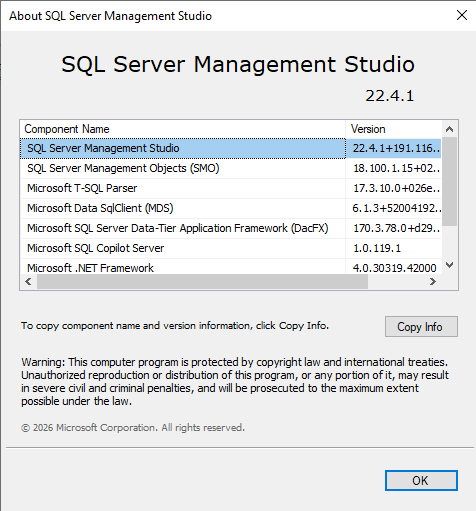
SSMS 22 is receiving frequent updates, such as version 22.4.1 released this month, focused on:
- Introduction of the Database DevOps workload, aimed at database project management and its integration with version control
- Improved connection dialog, including options such as automatically selecting the last used connection
- New environment capabilities, such as grouping objects by schema in Object Explorer
- New export formats available from the results grid: Excel, JSON, Markdown, and XML
- General improvements in stability, performance, and tools such as the Query Hint Recommendation Tool
This is a good indicator, as it shows the product is evolving continuously.
Recommendations after its adoption
When moving to SSMS 22, some good practices would be:
- Always keep SSMS updated to the latest version
- Validate plugin compatibility before installing
- Test new features in controlled environments before moving them to production
Conclusion
SSMS 22 represents a clear evolution compared to previous versions, especially due to the incorporation of artificial intelligence and the modernization of the environment.
Although it still has some limitations, overall it positions itself as a more powerful tool, aligned with the current needs of database administration.
In professional environments, its adoption is advisable, as long as it is accompanied by prior validation and proper update management.
Articles in the SQL Server 2025 Series
- Part 1: All the new features in SQL Server 2025
- Part 2: Optimized Locking in SQL Server 2025
- Part 3: New ZSTD backup compression algorithm for SQL Server 2025
- Part 4: Change Event Streaming (CES) in SQL Server 2025
- Part 5: SQL Server 2025 improves JSON performance with indexes and new functions
- Part 6: Vector Search in SQL Server 2025: VECTOR data type and DiskANN
- Part 7: How to use regular expressions (REGEX) in SQL Server 2025
- Part 8: New in Intelligent Query Processing in SQL Server 2025
- Part 9: All New Features in SQL Server Management Studio 22

