
Expose your database as an API in minutes (Data API Builder for Azure Databases)
One of the biggest bottlenecks in application development is API creation. Even though there are very powerful frameworks, they still require time, maintenance, and an additional layer of complexity.
This is where Data API Builder (DAB) comes into play — a tool that shifts the paradigm: instead of building an API on top of the database, it generates it directly from it.
What is Data API Builder?
Data API Builder is an open‑source tool from Microsoft designed to automatically expose databases as REST and GraphQL APIs.
It is specifically designed to work with:
- Azure SQL Database
- SQL Server
- PostgreSQL
- Azure Cosmos DB
Its main advantage is that it eliminates the need to build a traditional backend for many use cases.
What problem does it solve?
In a typical scenario:
- You have a database
- You need an API
- You build a backend (Node, .NET, Python…)
- You add endpoints, security, validations…
With DAB, that flow is simplified:
- You have a database
- You define a configuration
- You already have an API
This reduces:
- Development time
- Maintenance costs
- Architectural complexity
Simplified architecture
Without DAB:
Frontend → Backend → Database
With DAB:
Frontend → Data API Builder → Database
It removes an entire layer.
How it actually works
Data API Builder acts as an intermediate layer that:
- It connects to the database
- It interprets the configuration
- It generates endpoints dynamically
- It applies security rules
All of this through a single configuration file (dab-config.json).
When to choose DAB vs. a traditional backend
| Scenario | DAB | Traditional backend |
| Fast MVP | ✅ | ❌ |
| Simple CRUD | ✅ | ❌ |
| Complex logic | ❌ | ✅ |
| High control | ❌ | ✅ |
| Advanced integrations | ❌ | ✅ |
Deployment
Requirements
First of all, we need to understand what we’re installing:
- .NET Runtime: the environment required to run applications built with .NET. Data API Builder is built on .NET, so it needs this runtime to work.
- NuGet: the package manager for .NET. It allows you to download tools and libraries, such as Data API Builder.
- Data API Builder (DAB)
1. Install .NET 8 Runtime
Download and install version 8.0.25:
https://dotnet.microsoft.com/en-us/download/dotnet/thank-you/runtime-8.0.25-windows-x64-installer
The following steps are executed in CMD
2. Add the NuGet repository
In some environments, it’s necessary to add NuGet manually:
dotnet nuget add source https://api.nuget.org/v3/index.json -n nuget.org3. Install Data API Builder
dotnet tool install --global Microsoft.DataApiBuilderThis will install the dab command on your system.
4. Prepare the environment
We create a folder where the API configuration will live:
mkdir C:\dab-demo
cd C:\dab-demo
This folder will contain the dab-config.json file, which defines how the database is exposed.
5. Initialize Data API Builder
dab init --database-type "mssql" ^
  --host-mode "Development" ^
  --connection-string "Server=.\natillas;Database=BlogDemo;User Id=natilla;Password=natilla;TrustServerCertificate=true;Encrypt=true;"
This command:
- Connects to SQL Server
- Generates the configuration file
- Prepares the API
6. Add entities (tables)
dab add Customers --source "dbo.Customers" --permissions "anonymous:*"
dab add Orders --source "dbo.Orders" --permissions "anonymous:*"
dab add OrderItems --source "dbo.OrderItems" --permissions "anonymous:*"
Here we are indicating which tables we want to expose as an API.
The permission anonymous:* allows full access without authentication (for testing only).
7. Start the API
dab startAvailable endpoints
Once Data API Builder is running, it automatically exposes several endpoints that allow us to interact with the data in different ways. This is especially useful because, without developing any backend, we already have a complete API with built‑in documentation.
The main generated endpoints are shown below:
- REST API: allows querying and manipulating data through HTTP requests. Example with the
orderstable:http://localhost:5000/api/Orders



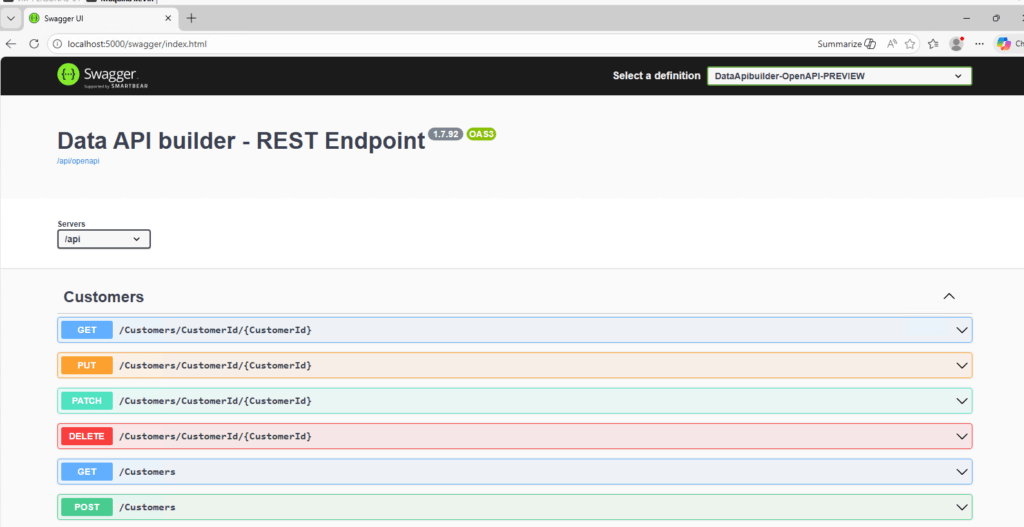
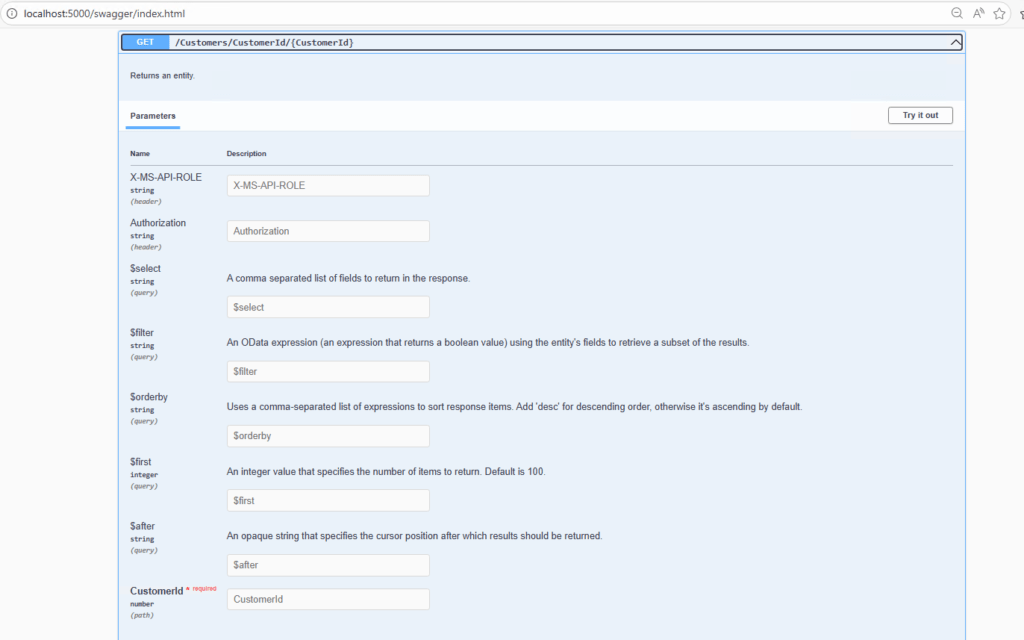
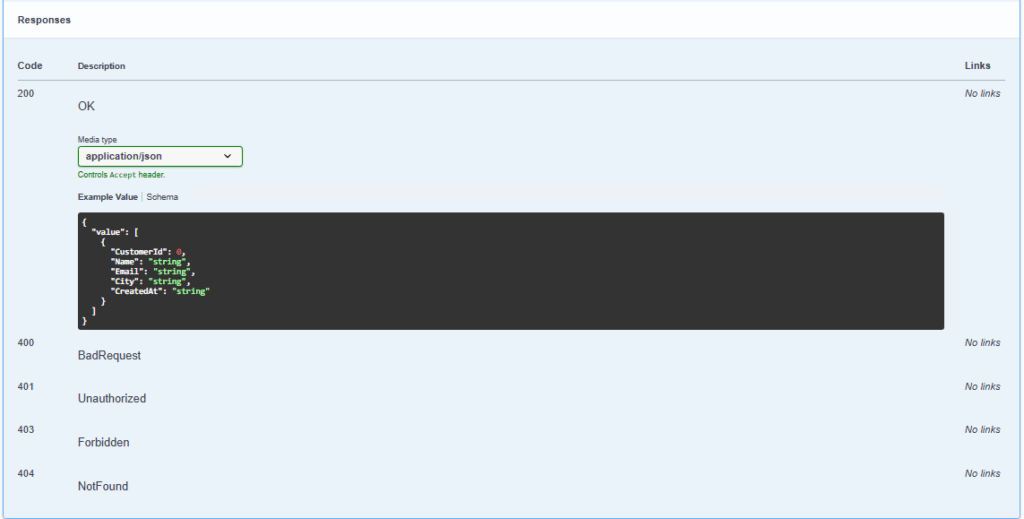
- Swagger (OpenAPI): provides a visual interface to explore and test the available endpoints without needing external tools.
http://localhost:5000/swagger
- GraphQL: allows performing more flexible queries and obtaining structured data according to the client’s needs.
http://localhost:5000/graphql
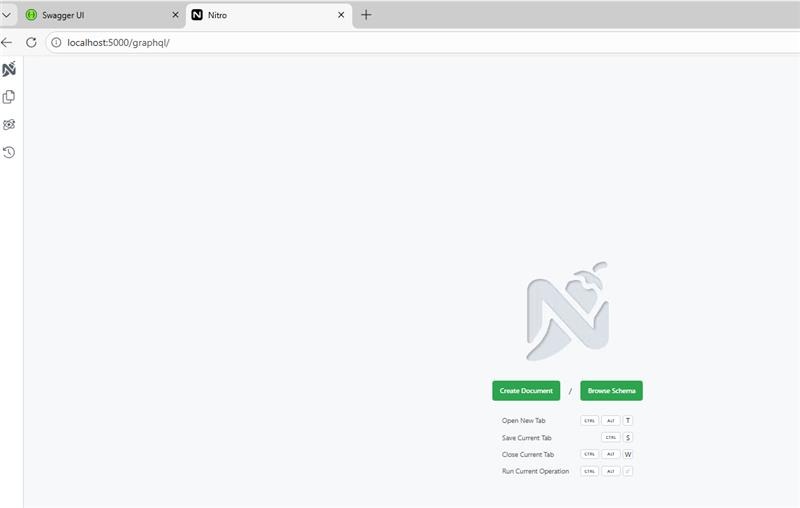
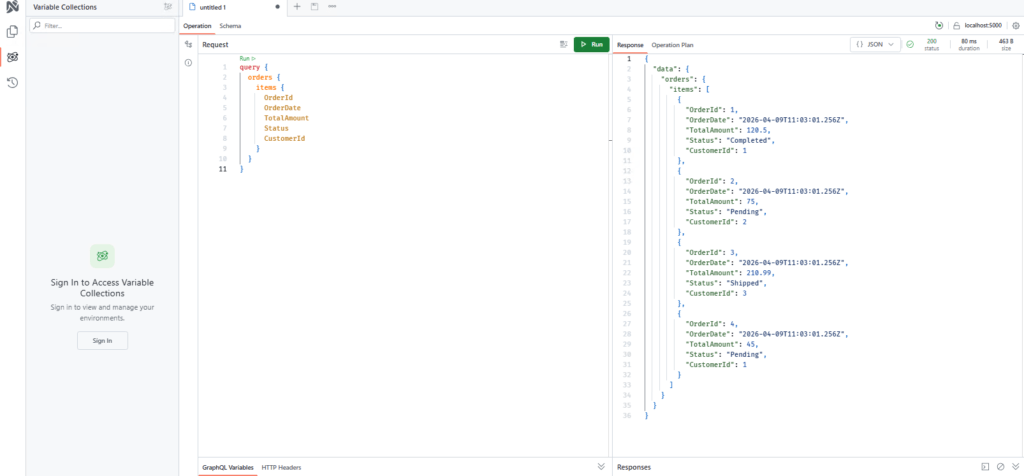
These endpoints allow you to quickly verify that the API is working correctly and serve as a foundation for integrations with applications, dashboards, or analytics tools.
What did we just do?
In a few steps we have achieved:
- Connect to SQL Server
- Generate an API automatically
- Expose REST endpoints
- Have GraphQL available with zero code
All of this without developing a traditional backend.
Netx steps
Once we have the API running, the next step is to evolve the project toward a more realistic, production‑ready environment.
Real security (roles)
In the example we used open permissions (anonymous:*), which is useful for testing but not suitable for production environments.
Data API Builder allows you to define:
- Access roles (for example:
anonymous,authenticated) - Entity‑level permissions
- Operation‑level restrictions (read, write, etc.)
This makes it possible to control who can access which data and how, while also integrating with authentication systems such as Azure Entra ID.
Deployment in Azure
Once the local setup is validated, the next step is to move the API to the cloud.
A typical deployment would include:
- Azure App Service to host Data API Builder
- Azure SQL Database as the database
- Managed Identity to handle authentication without credentials
- Environment variables to configure the connection
This makes it possible to have a fully managed, scalable API that can be accessed from any application.
Conclusion
Data API Builder is a tool that fits perfectly in scenarios where speed and simplicity are key.
It doesn’t replace a full backend, but it does cover a large percentage of cases where what you really need is simply to expose data.
If you work with Azure and databases… it’s definitely worth trying.
Articles in the SQL Server 2025 Series
- Part 1: All the new features in SQL Server 2025
- Part 2: Optimized Locking in SQL Server 2025
- Part 3: New ZSTD backup compression algorithm for SQL Server 2025
- Part 4: Change Event Streaming (CES) in SQL Server 2025
- Part 5: SQL Server 2025 improves JSON performance with indexes and new functions
- Part 6: Vector Search in SQL Server 2025: VECTOR data type and DiskANN
- Part 7: How to use regular expressions (REGEX) in SQL Server 2025
- Part 8: New in Intelligent Query Processing in SQL Server 2025
- Part 9: All New Features in SQL Server Management Studio 22
- Part 10: Data API Builder for Azure Databases

I am a data engineer with experience in SQL Server and data analysis. I am certified in database administration and specialized in designing efficient and secure environments for database applications. My approach includes the application of analysis techniques to extract valuable information and support strategic decision making.